Melanin Cinema · Lightroom Presets

Edit like this. One click.

Ten Lightroom looks built first for rich, deep skin, tested on real client RAW files from real shoots. Faces stay luminous. Never muddy, grey or orange. Works on your phone and your computer.

Want to try first? Get Gold Hour Lite free

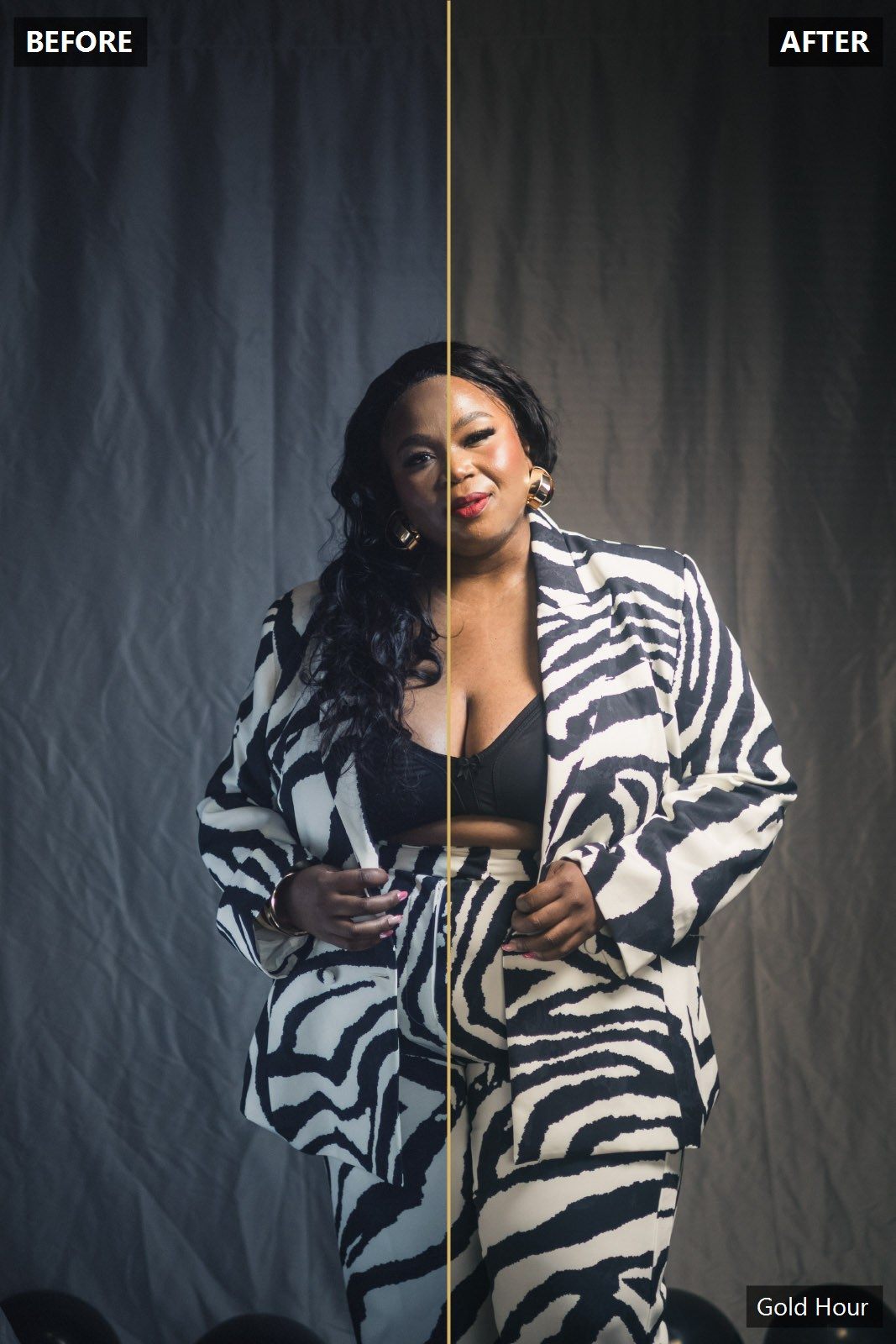
Before and after: Gold Hour Lightroom preset on a portrait with deep skin

Melanin Cinema

10 looks + 6 tools · Lightroom desktop & mobile

R249R349Launch · until 30 Nov

  • Gold Hour, Midnight Teal, Street Bold, Soft Film, Ivory, Ember, Velvet, Neon Night, Noir 3200, Silver Classic
  • Skin Glow, Green Killer, Film Grain, Matte Fade, Warm Up, Cool Down
  • Install guide for Lightroom Classic, Lightroom Mobile (free app) and Photoshop
  • The 3-step system that keeps a whole gallery consistent
  • Any camera, any phone, RAW or JPEG · free updates
Buy now · R249

Card, instant EFT or SnapScan, securely via Yoco. Your download starts the moment the payment goes through. Prefer WhatsApp?

Try Gold Hour Lite free

Not ready to buy? The lite version of the signature look is free.

Soft Film preset before and after at a baby shower
Soft Film · Event
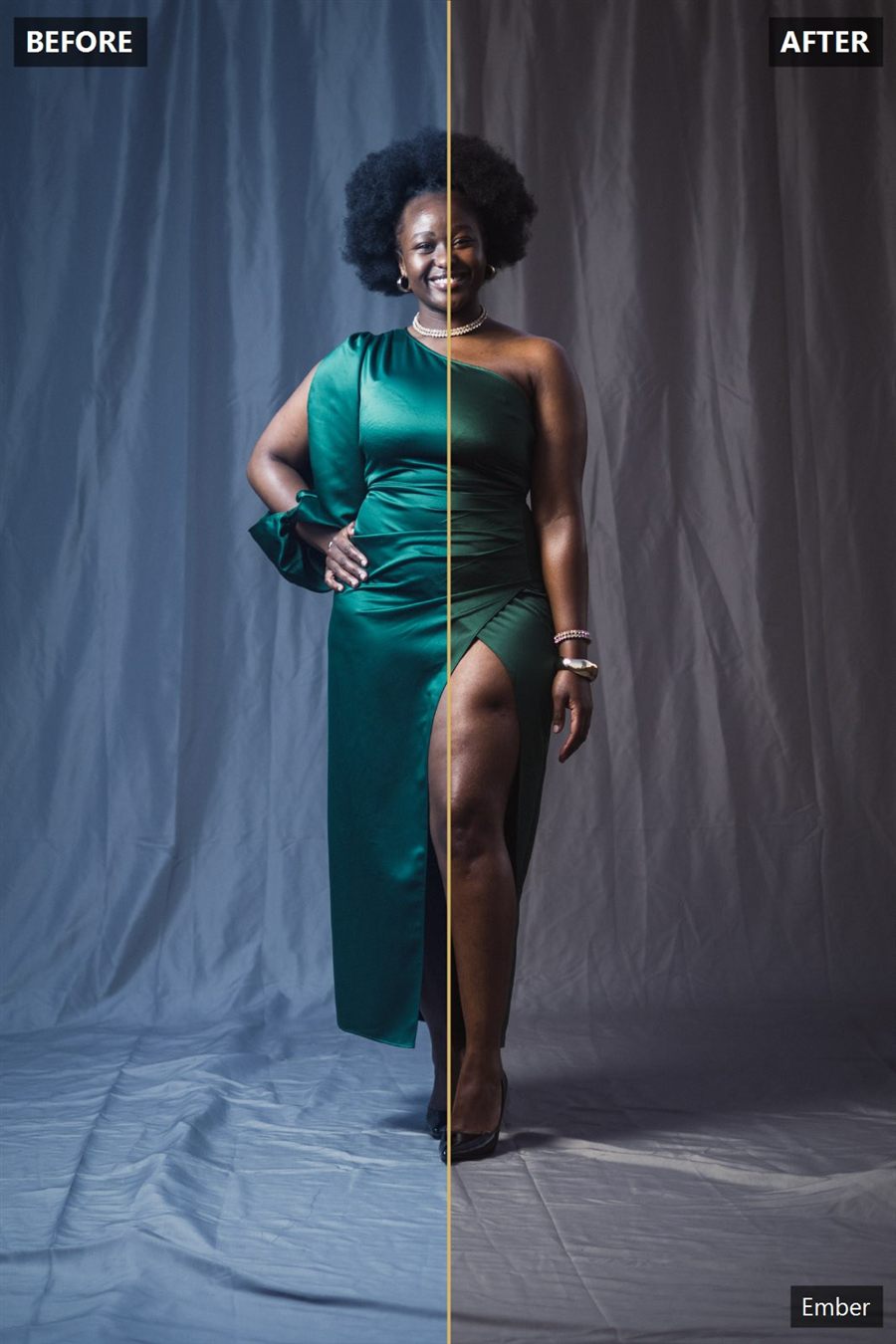
Ember preset before and after studio portrait
Ember · Studio
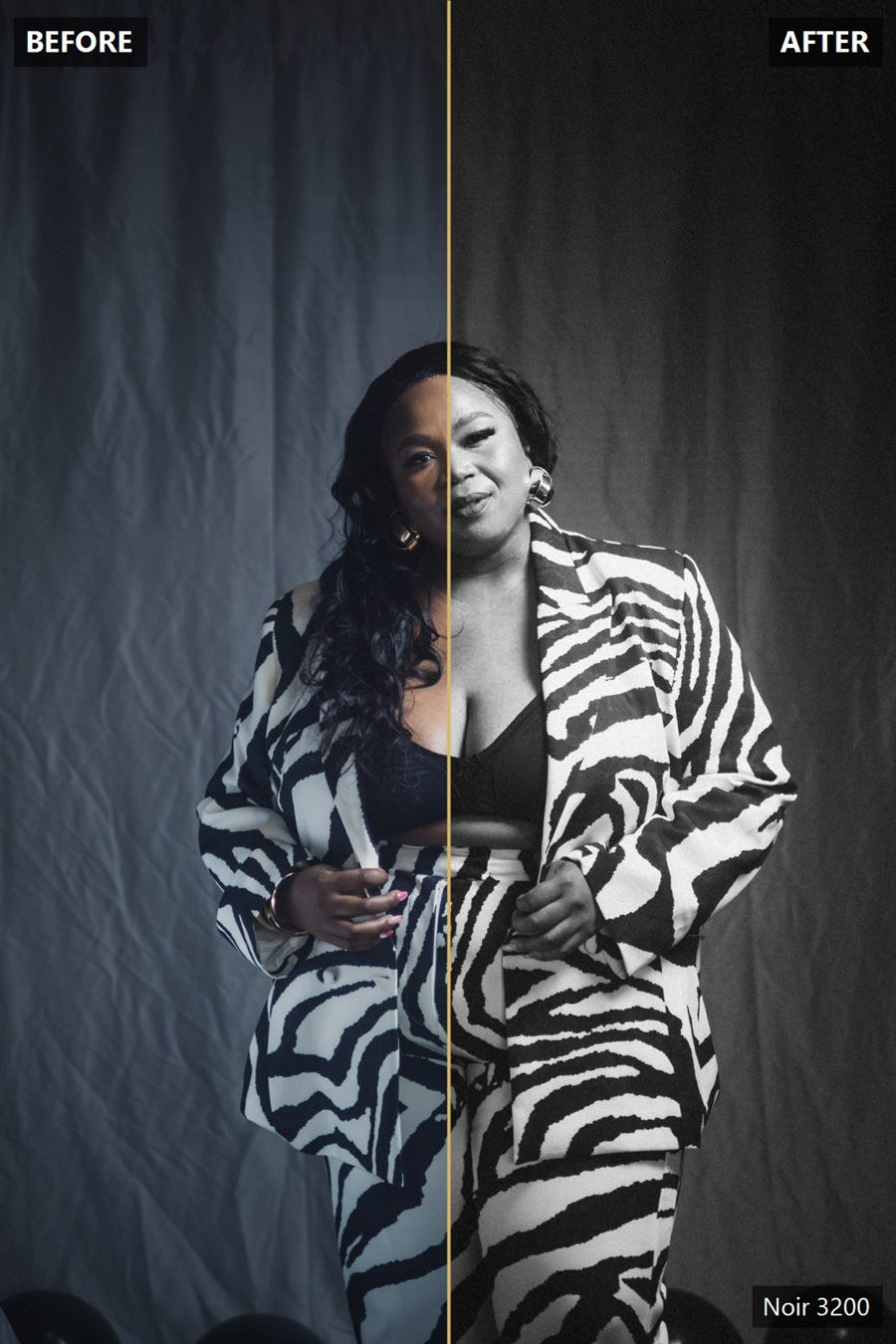
Noir 3200 black and white preset before and after
Noir 3200 · Black & White

The problem

Most presets were built on light skin. You can see it.

Apply the average pack to a dark-skinned client and the face goes grey, the shadows block up, or everything turns orange. Every look in this pack does four things by default so that never happens.

Shadows lifted

The curve toe is raised so deep skin keeps its detail instead of crushing to black.

Luminous, not orange

Skin brightness goes up while its saturation eases off.

Reds pulled to orange

Faces never go red or purple under mixed light.

Green spill tamed

Grass and walls stop bouncing green onto skin.

The looks

Ten looks. One click each.

Every look is complete on its own: lens correction, colour, tone curve, grain and sharpening. Apply one, dial the Amount slider, done.

01
Gold Hour

Warm cinematic. Luminous skin, teal shade, golden light. The signature look and the one to start with.

02
Midnight Teal

Moody matte cinema. Teal in the shadows, warmth kept on the skin, deep clean blacks.

03
Street Bold

Vibrant and punchy with deep contrast. Urban editorial energy without crushing faces.

04
Soft Film

Light and airy film. Lifted blacks, cream highlights, romantic and timeless for weddings.

05
Ivory

Bright, clean, editorial. Whites stay white, skin stays rich. Studio and daylight events.

06
Ember

Rich, warm, moody portrait. Brown-gold shadows and glowing skin.

07
Velvet

Muted fashion matte. Everything quiets down except the skin. Quiet luxury.

08
Neon Night

Night, indoor, tungsten and LED rescue. Cools the orange cast and keeps the glow.

09
Noir 3200

Grainy 3200 film black and white. Deep skin glows silver, blacks go rich.

10
Silver Classic

Clean, timeless black and white. Wedding and portrait safe.

How it works

Three steps, then sync the gallery

01

Fix the light

Set exposure and white balance by eye. Get the face bright first. A preset does not rescue a dark photo.

02

Apply one look

Pick the look for the job. Too strong? Slide Amount to 70 or 80. Then sync it to every photo from that setting.

03

Stack a tool

Skin Glow on faces, Green Killer on grass, Film Grain for texture. Export. Deliver.

Questions

Before you buy

Does it work on my phone?

Yes. The free Lightroom Mobile app imports the same .xmp files. The guide shows you where to tap.

I shoot JPEG, not RAW.

They work on JPEGs and phone photos. RAW gives you more room to recover shadows, but the looks apply either way.

Canon, Sony, Nikon, Fuji?

Any camera. The looks are built on Adobe's neutral colour profile, so they render the same on every brand.

Will it look exactly like the samples?

If your light is similar, yes. Every photo still needs its own exposure and white balance first. That is step one in the guide.

Can I use it on client work?

Yes, that is what it is for. You just can't share or resell the files.

What if I get stuck?

WhatsApp me. Send the photo and I'll tell you which look and what to slide.

Launch price · until 30 November 2026

R249, then R349.

10 looks, 6 tools, the guide, free updates. Personal and commercial use on your own photos.

Buy now · R249